Reads the QR bill
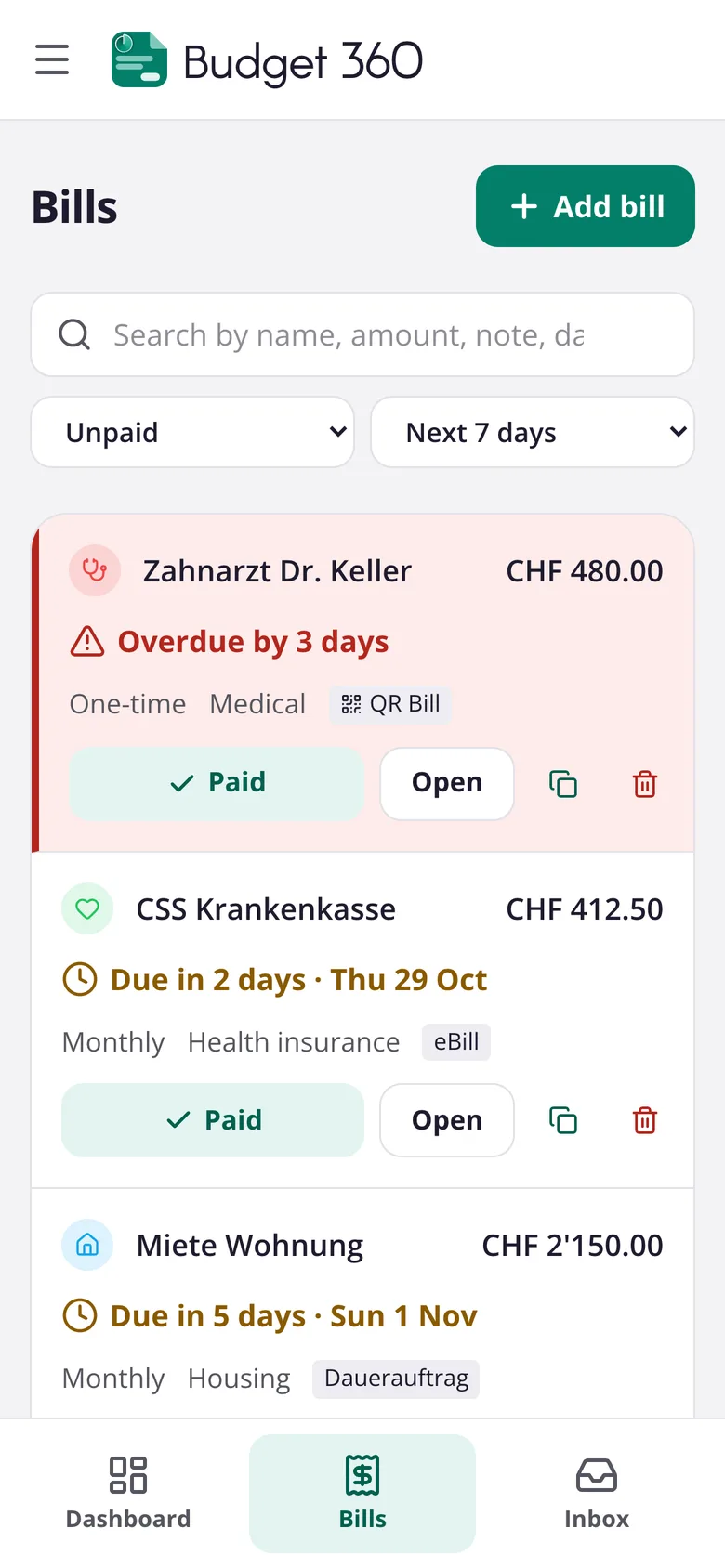
Upload a PDF or a photo of a Swiss QR bill. Amount, recipient, reference and due date are filled in for you.
Bills under control
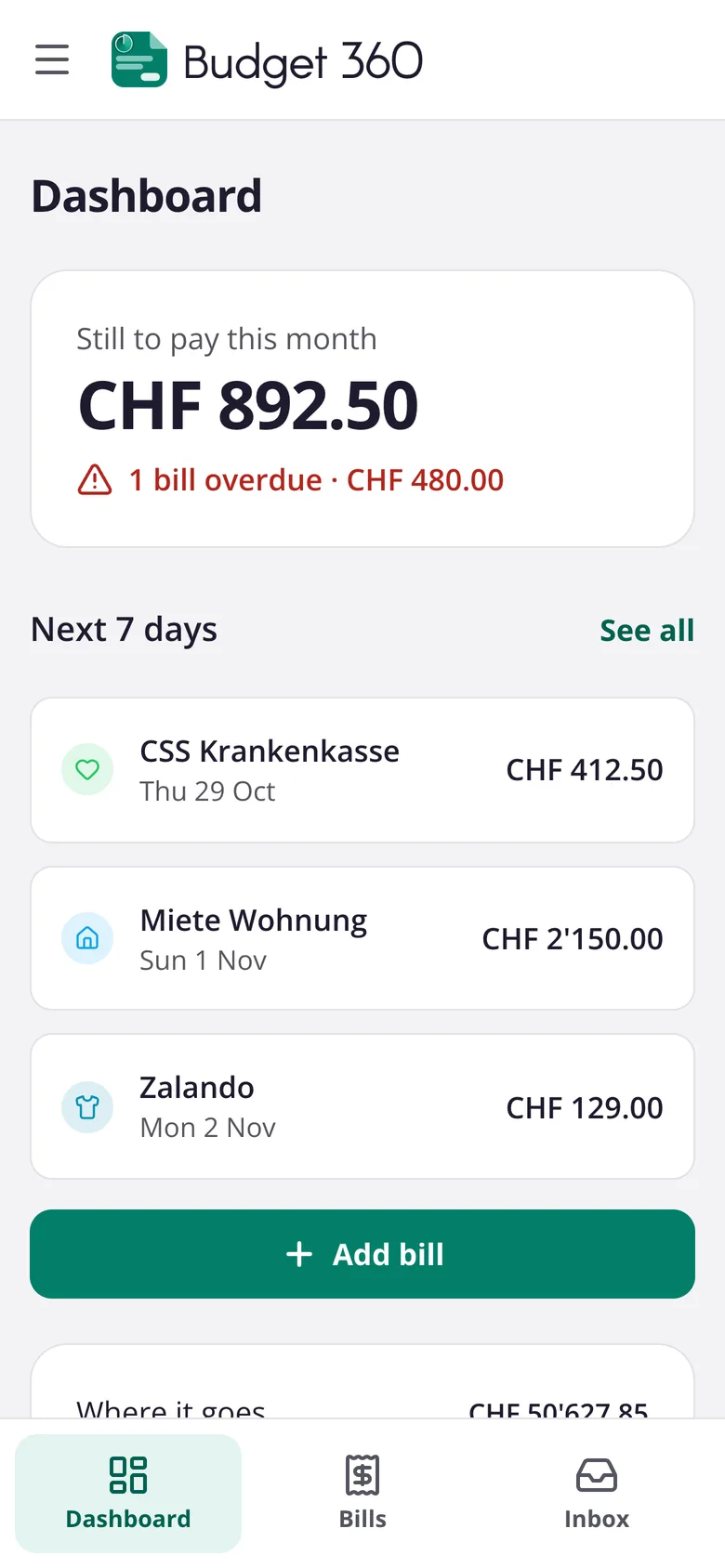
Budget 360 collects your bills in one place, reads Swiss QR bills by itself and reminds you on the day a payment is due. You always know what is coming and what is still open.
Runs in any browser. Apps for iPhone and Android are coming soon.
Upload a PDF or a photo of a Swiss QR bill. Amount, recipient, reference and due date are filled in for you.
An email in the morning when an unpaid bill is due, and a notification on your phone. Both can be turned off.
From the rent to the dentist: add a bill in seconds and stop worrying about forgetting one.
You get your own address at tobudget.ch. Forward a bill there and it appears in Budget 360 straight away.
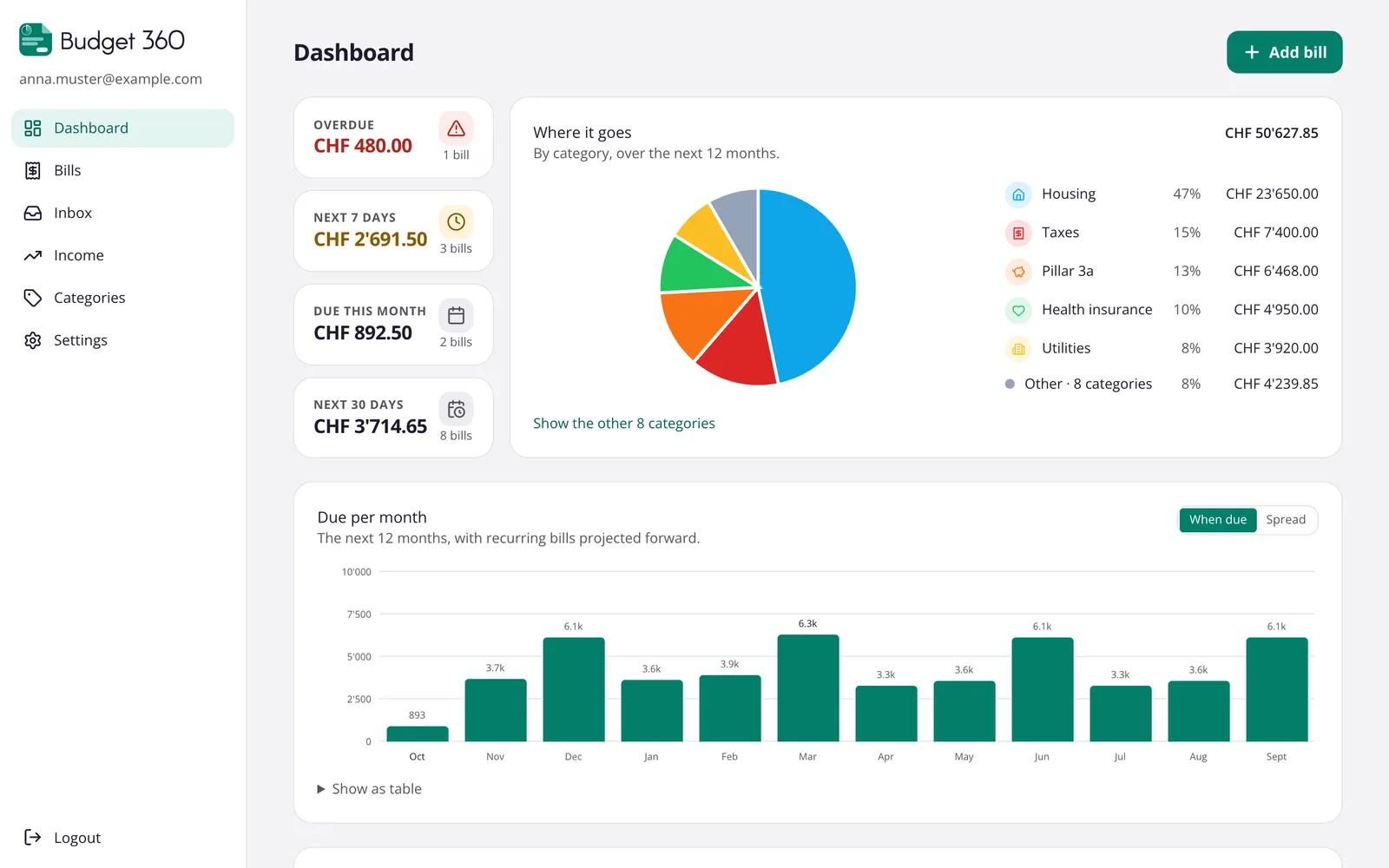
The next twelve months at a glance, recurring bills included, and where the money goes by category.
Large yearly or quarterly bills can be spread over the months before, so the due date never comes as a surprise.
Budget 360 is available in 13 languages, from German, French and Italian to Romansh, Albanian and Turkish.
Large text, clear buttons and no jargon. Paid bills turn green, overdue ones red, so you see at once where you stand.
Sign up with your email address. All you need is a browser.
Upload a QR bill, forward an email or type in a bill by hand.
Budget 360 reminds you on the due day. You pay with your bank as usual and tick the bill off.
No. Budget 360 does not connect to your bank and never moves money. You pay with your e-banking as usual. Budget 360 makes sure you know when.
Swiss QR bills, as a PDF or as a photo. Any other bill you can enter by hand in a few seconds and keep the document with it.
Your bills belong to you. We do not sell data, show no advertising and use no tracking. On request we delete your account and all your bills.
No. Budget 360 runs in any modern browser on your computer, tablet or phone. Apps for iPhone and Android are on the way.
In Settings you choose a name, for example anna@tobudget.ch. Every bill sent or forwarded to that address lands in your Budget 360. If it carries a QR code, the bill is created automatically.
Set up Budget 360 in two minutes and have every bill in view.
Get started